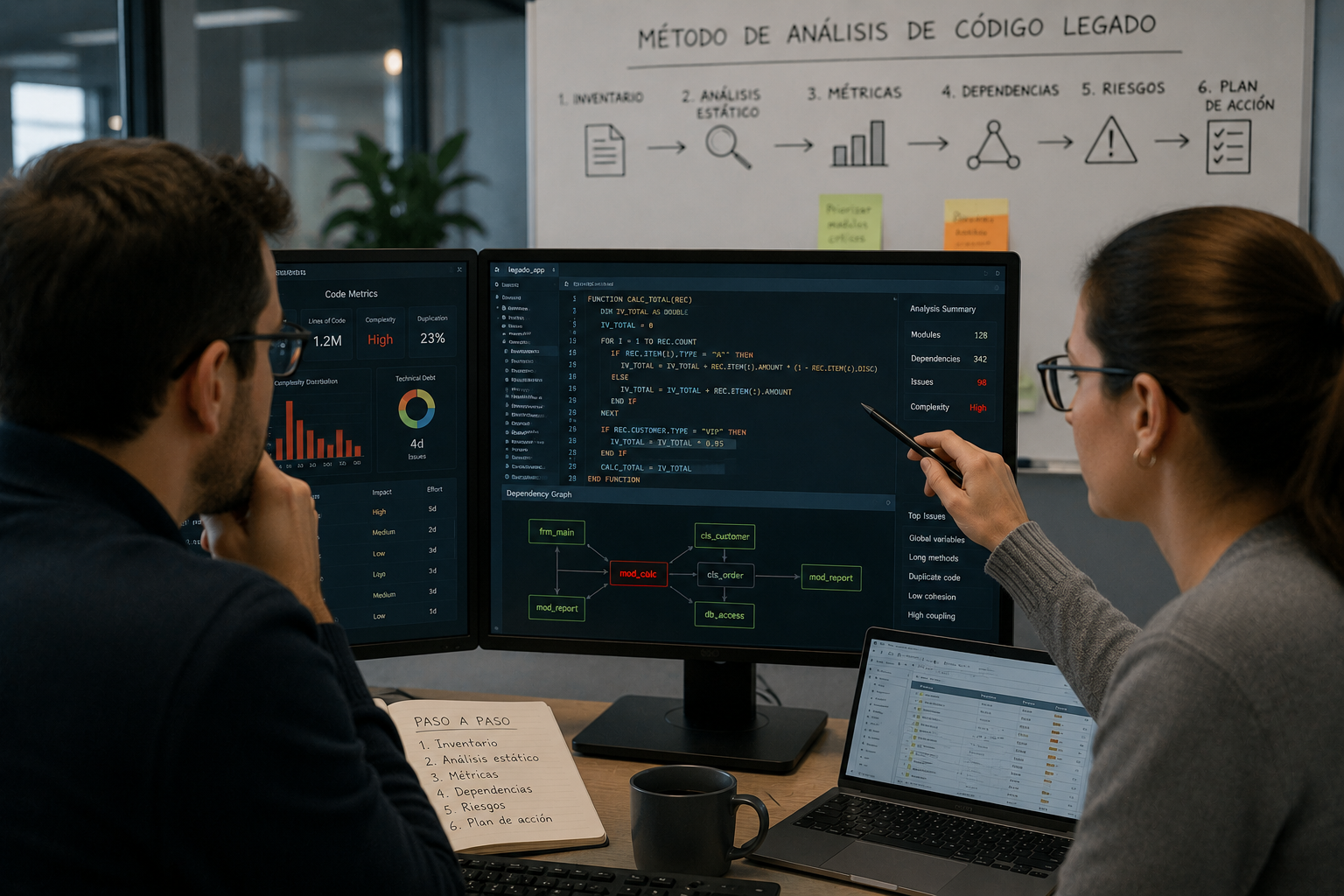
Legacy code used to be defined as the code that someone who did not write it is responsible for maintaining. Today that definition is too narrow: it also applies to applications developed by the company itself, when the people who originally wrote the code are already working on other projects. A more useful definition is this: legacy code is code that is difficult to modify because its behavior is unknown, almost always due to a lack of documentation and tests. Before touching a single line, it has to be analyzed. This article reviews what to prepare before starting and which legacy code analysis tools help get the job done in reasonable timeframes.
What legacy code actually is (and why it is so hard to change)
Legacy code is not just old code: it is code that is difficult to modify because nobody fully understands how it works. It is usually undocumented or poorly documented, almost never has unit tests, and often does not follow any design pattern that is still recognizable today.
For changes that are not trivial, you first need to understand the architecture, how its components relate to one another, and what limitations each one has. These applications also tend to be monolithic, which makes it even harder to define the real scope of a change.
Before analyzing legacy code: what to prepare first
There are some prerequisites worth addressing before starting the analysis. The first is to be clear about the goal: analyzing an application to replace it in the medium term is not the same as analyzing it to maintain it, or to modernize it so it can keep running for a long time.
- Gather all available information: technical documentation, user manuals, initial requirements, and the history of changes. This helps you understand why certain decisions were made over the software’s lifetime.
- If repositories exist, preserve all code versions. Seeing how the code evolved to meet needs that were not anticipated at the start provides context that is not written down anywhere.
- Obtain a full or partial copy of the database that allows you to understand the system in real operation. Sometimes the parts that seemed most complex are barely used, and that completely changes the priorities of the analysis.
A typical case: custom calendars built into legacy applications that no one uses anymore because email clients and office suites do that job better. Detecting that dead code and replacing it with simple connectors reduces maintenance cost with very little effort.
Static analysis tools: the first level of analysis
How do you analyze an application with hundreds of thousands of lines of code? Doing it manually requires resources and time that are almost never available, especially if the application is still in use and must be changed soon. This is where static code analysis tools come in, such as Helix QAC for C and C++, or Klocwork, which also covers C# and Java. There are options for almost every language: the key is choosing the one that fits the software you are analyzing.
Also, generative AI has changed this landscape by making software easier to understand, generating documentation, answering questions about the code, and even identifying patterns and possible issues in a matter of minutes. However, AI does not replace static analysis; static analysis tools remain an essential complement.
At the unit level, these tools report on how isolated parts of the code behave with respect to the rest: data, benchmarks, system behavior. It is a basic but necessary analysis, and it provides a solid first picture of the overall architecture.
At the technology level, they make it possible to analyze interactions between those parts in order to detect potential errors, such as a method that returns output that can cause another class to fail. In those cases, you need to adapt the class so it validates the data, or derive it to handle that specific case.
System-level analysis: performance, security, and databases
At the system level, other pieces come into play: the environment, the database, the full infrastructure. Here the tools focus less on the code itself and more on its behavior in specific tasks, allowing you to detect, for example, components that generate an unnecessary number of database requests and slow down the entire application.
- Optimizing and rationalizing those queries usually improves performance directly.
- Adding in-memory database caches or token-based authentication systems solves many performance and security issues in a way that is practically transparent to the rest of the application.
For this kind of analysis, general profiling or benchmarking tools are usually used to study database usage, operating system resources, and network access.
Checklist: is everything ready to analyze your legacy code?
- Are you clear on whether the goal is to maintain the application, replace it, or modernize it so it can keep running long term?
- Have you collected all available technical documentation, requirements, and change history?
- Do you preserve all code versions in the repository, not just the latest one?
- Do you have a copy of the database that reflects real system usage, not just its original design?
- Do you know which static analysis tool fits your application’s programming language?
Frequently asked questions about legacy code analysis
What exactly is legacy code?
It is code that is difficult to modify because its behavior is unknown. It is almost always undocumented, without unit tests, and not following current design guidelines, regardless of its age.
Where should you start before analyzing legacy code?
By defining the goal of the analysis: whether it is for maintenance, replacement, or modernizing the application. Then you should gather documentation, preserve repository history, and obtain a realistic copy of the database.
Which static code analysis tools are used most often?
Today, code analysis combines two complementary approaches. On one hand, generative AI helps with software comprehension, documentation generation, and rapid exploration of large codebases. On the other hand, static analysis tools remain essential when you need precise, verifiable, and deterministic information about code behavior.
Among the most widely used static analysis tools are Helix QAC for C and C++, and Klocwork, which also supports C# and Java. Equivalent solutions exist for most languages; the important part is choosing the one that best fits the technology of the application being analyzed.
What is the difference between unit-level and technology-level analysis?
Unit-level analysis studies isolated parts of the code: data, benchmarks, behavior. Technology-level analysis goes one step further and studies how those parts interact with each other to detect errors that only appear in that interaction.
What is analyzed at the system level in a legacy application?
The complete environment: database, infrastructure, access patterns. It allows you to detect, for example, components that generate unnecessary database requests and slow down the entire application.
Is analyzing legacy code for maintenance the same as analyzing it for migration?
No. If the goal is maintenance, the analysis focuses on understanding risks and dependencies. If the goal is migration or replacement, much of the complexity you discover may end up being discarded along with the code that is no longer needed in the new system.